
Before you start
- Have the original package or a clear photo ready, with the name, strength, batch and expiry date available to check.
- Choose location names that match your home. A location recorded in the app does not replace the storage conditions on the label.
- Text recognition runs on your device; a recognition model may need an internet download the first time it is used.
Separate the medicine, its batch and its quantity
Medicines with the same name may have different strengths, batch numbers and expiry dates. Check the packaging instead of assuming that matching names mean matching dates.
Use a location that you can find again, such as “living-room cabinet, upper shelf” or “travel pouch.” These are naming examples, not storage recommendations for any particular medicine. Follow its label and leaflet for storage conditions.
Add a record and choose its location
Finish and check one record before moving on. This makes mistakes easier to catch than capturing a large set of boxes without reviewing the results.
Add the medicine
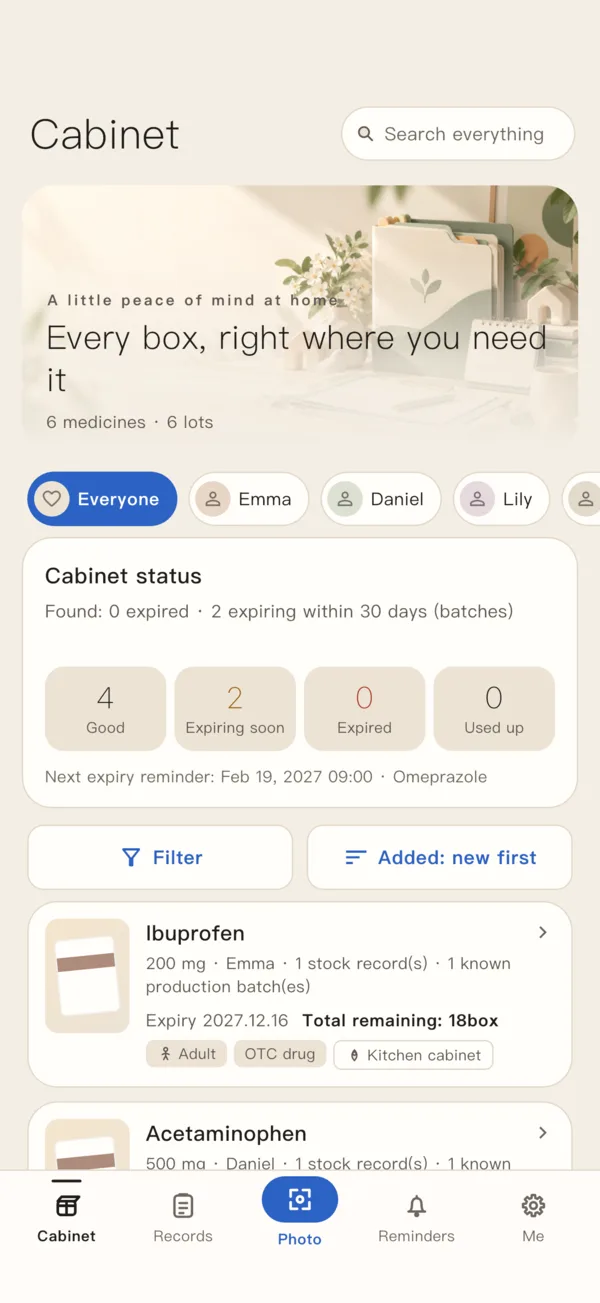
Start medicine entry from the cabinet. Photograph the package or choose an existing image, then continue to the confirmation screen.
Check the details
Compare the name, strength, batch and expiry date with the original package. Correct recognition mistakes and enter the remaining quantity. Recognition is not a check of authenticity or medical safety.
Choose a storage location
Expand the management section on the entry confirmation screen and select a defined location. Use the picker’s management entry, or location management in settings, to maintain the list.
Save and check
Save the record and review it in the cabinet. If you move the medicine later, edit its location from the medicine detail screen so the record still matches reality.
What does the free allowance of 15 mean?
The free version allows 15 in-stock medicine batch records at a time. It does not add up tablet or liquid quantities, and it does not count only the grouped product types shown in the cabinet.
Two separate in-stock batch records for the same medicine use two places. Changing the remaining quantity within one record does not create another batch record. Records marked used-up or discarded no longer count toward the in-stock allowance.
Going beyond the free in-stock allowance requires an active paid entitlement. Do not mark medicine as used-up or discarded merely to make room if it is still in stock.
Keep the record in step with the package
Update the relevant record when you add stock, finish a batch or move it. Check the printed expiry for each batch separately. An opened medicine may also need its opening date and the after-opening period recorded.
- Cannot find a medicine? Check whether its location was updated after a move.
- Fewer than 15 product types but the allowance is full? Look for separate in-stock batch records within grouped products.
- A batch is finished? Update its actual status; there is no need to remove unrelated visit records.