
Snap a photo. No typing it all in.
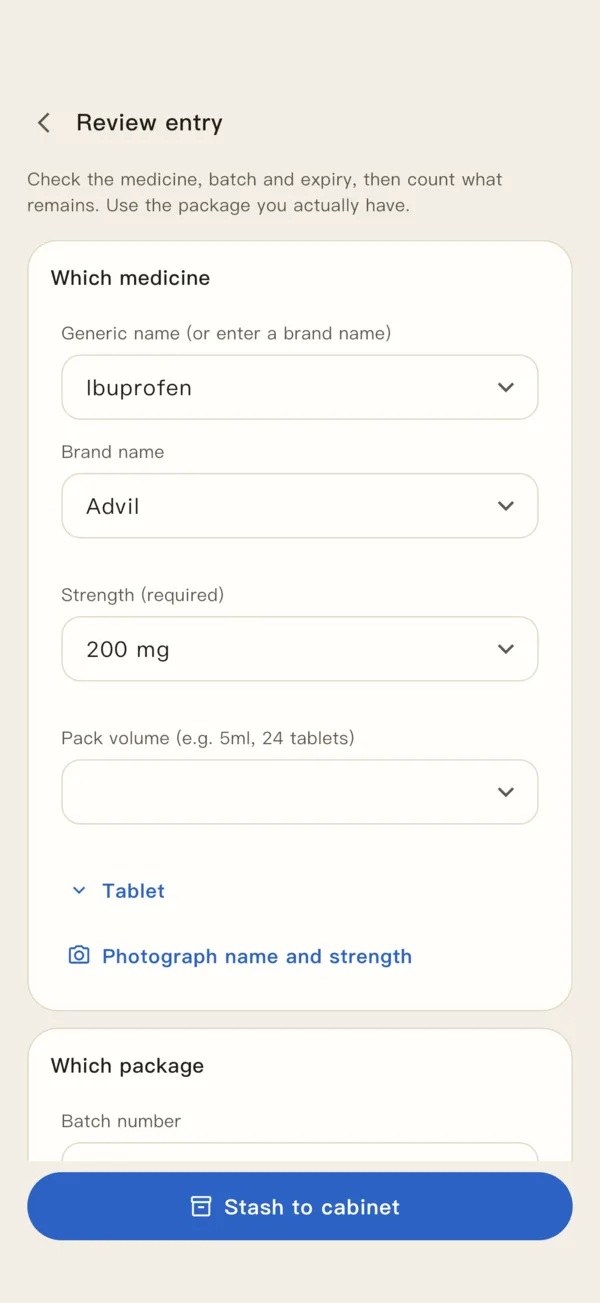
Photograph the box and the name, strength, batch and expiry fill in for you. Glance, then save.
 MedCabin
Your medicines, storage spots and expiry dates. One clear place. MedCabin brings medicine and visit records together, right on your phone.

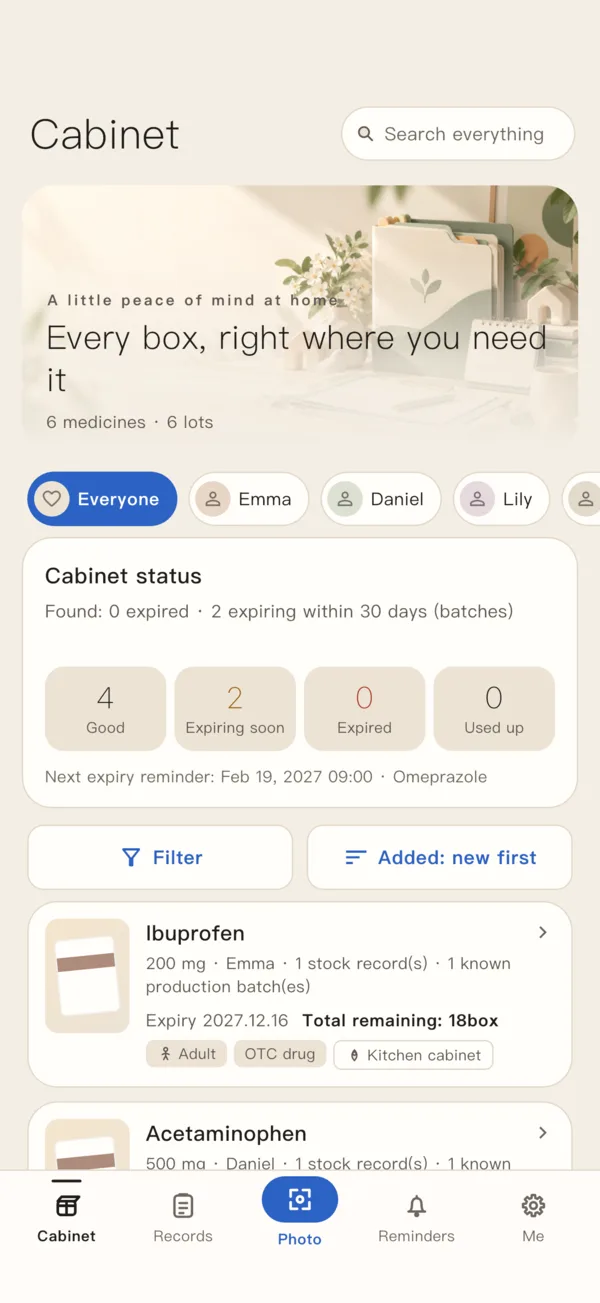
Quick add by photo, stock records, family profiles, medical documents, and PDF export in one place. You confirm the content before it becomes part of your records.
Photograph the box and the name, strength, batch and expiry fill in for you. Glance, then save.
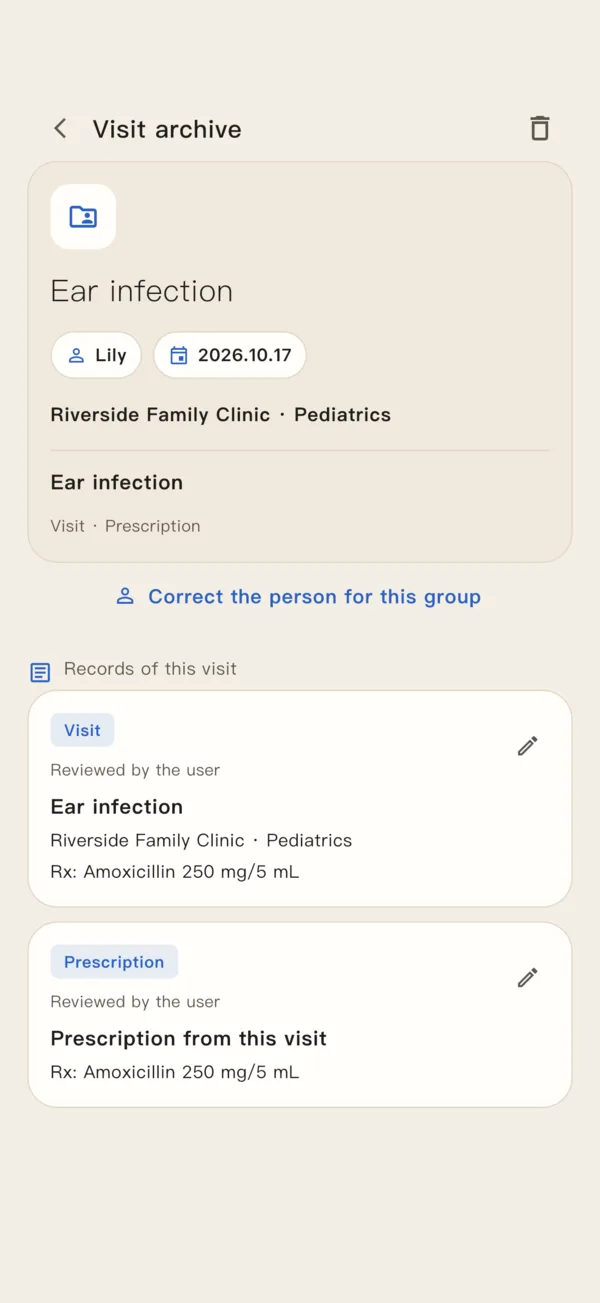
Visit notes, test results and prescriptions go into each family member’s timeline, easy to find when you need them.
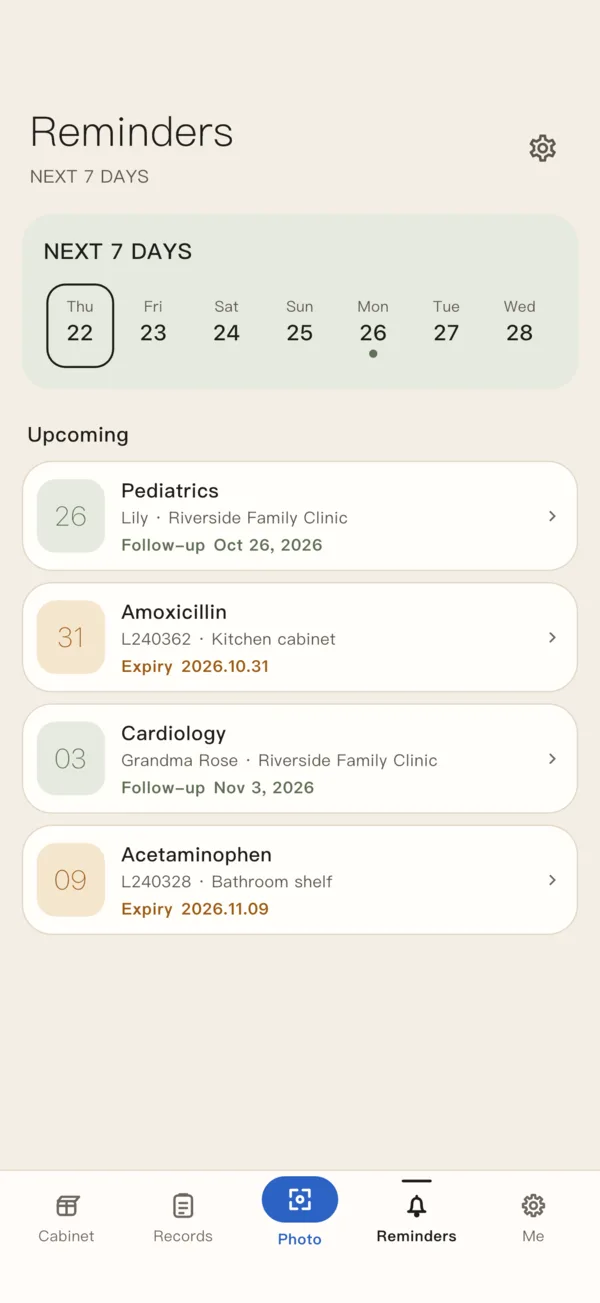
Get a heads-up before a medicine expires or a visit comes up, and add it to the phone calendar you pick. Edit or delete a record and the calendar follows; turn off calendar access to stop updates.
No account to create. Add an app lock that opens with your face or fingerprint, and encrypt the records on your phone. Backups and phone-to-phone transfers are encrypted too.
Turn checked records into a PDF for a doctor or family member you choose. PDFs aren’t encrypted, so they can open it right away.
An organizer for your information, not a diagnostic or prescribing service.
Screens from the current version, filled with demo data.
Up to 15 in-stock medicine batch records
Annual subscription or one-time purchase
This is what the current version includes. On iOS, you can buy in the App Store; prices and purchase conditions follow the App Store checkout page. Purchases aren’t open on Android yet. Purchases don’t carry over between the App Store and Google Play. Read the full subscription and purchase terms
Install and start. No sign-up needed.


Android version coming soon

Your medicines, family and visit records stay on your phone. Fly Design never uploads or keeps them. They leave your phone only when you share, export or add them to your calendar. The privacy policy has the details.
Install and start. No sign-up, no login, no phone number or email.
Fly Design does not host health records. Medicines, family and visit records stay on your device; phone-to-phone transfers go directly over the same Wi-Fi or hotspot, never through us.
Turn on AES-256 encryption for records and photos in settings. Exported backups always use a separate encryption password; shared PDFs are not encrypted.
The MedCabin app has no advertising or behavioral analytics tools. The text-recognition component may send limited technical diagnostics, not photos, recognized text or health records. See the privacy policy.
Take a photo of the box or pick one from your photos, and MedCabin reads the text. Check the name, strength, batch and expiry date against the box before saving.
Note how many boxes are left and where they are, then add visit notes, test results and prescriptions to the right family member’s timeline.
Turn on reminders and add them to your phone calendar if you like. Check the date and time before saving.
Export a backup that only opens with your password, or create a PDF to send to a doctor or family member you choose.
Read the privacy policy and terms for details about data use, permissions and calendars.
MedCabin is a family medicine organizer by Fly Design. It keeps track of which medicines you have, where they are and when they expire, plus each family member’s visit records. It can read medicine boxes from a photo, remind you about expiry dates and visits, export PDFs, make encrypted backups and move records between two phones.
No. Your medicine, health, photo and visit records stay on your phone. Fly Design never uploads or keeps them, and there’s no account to create. Information leaves your phone only when you share, export, add it to your calendar or open an outside lookup, and then it goes to the app or person you choose.
Reminders before a medicine expires and before a medical visit. With your permission, they can also go into the phone calendar you choose, and update when you edit or delete a record. If you turn off calendar access, updates stop; events already added need to be deleted in your calendar.
Yes. Medicine and visit records and photo text recognition are processed on your device. Some recognition components may download a model on first use and send limited technical diagnostics, not photos, recognized text or health records. Read-aloud, purchases, outside lookups and calendar-account syncing may use the internet depending on your phone settings.
No. Photos are chosen with your phone’s own picker, so MedCabin only gets the ones you select and can’t see the rest of your photos or videos. Taking a photo directly needs camera permission.
No. MedCabin only organizes your information. It doesn’t diagnose, prescribe, calculate doses or tell real medicines from fake ones. Please check recognition results and reminders yourself, and ask a doctor or pharmacist about treatment and medicine use.
MedCabin (家庭药箱) is a household medicine inventory and health-record organizer by Fly Design. Keep storage locations, expiry dates and visit records on your device, with expiry and appointment reminders as needed. No account is required. Fly Design does not host your health records or provide diagnosis or treatment decisions.
Facts updated